
4K IPTV Streaming Complete Guide 2026
Streaming IPTV in 4K Ultra HD requires the right combination of internet speed, compatible devices, quality providers, and proper configuration. This comprehensive guide covers everything you need for flawless 4K IPTV streaming.

4k 4K IPTV Requirements
Essential Requirements:
- ? 50+ Mbps internet speed
- ? 4K-capable device (Fire TV 4K, Shield TV)
- ? 4K TV with HDMI 2.0+
- ? IPTV provider with true 4K content
Recommended:
- ? Wired Ethernet connection
- ? HEVC/H.265 codec support
- ? HDR10 or Dolby Vision support
- ? Premium IPTV subscription
Internet Speed Requirements
| Quality | Bitrate | Minimum Speed | Recommended |
|---|---|---|---|
| 4K Standard | 15-20 Mbps | 25 Mbps | 35 Mbps |
| 4K High Quality | 20-25 Mbps | 35 Mbps | 50 Mbps |
| 4K HDR | 25-35 Mbps | 50 Mbps | 75 Mbps |
| 4K HDR + Atmos | 35-50 Mbps | 75 Mbps | 100 Mbps |
Multiple Streams
If multiple devices stream simultaneously, multiply the speed requirement:
- • 1 x 4K stream: 50 Mbps
- • 2 x 4K streams: 100 Mbps
- • 1 x 4K + 2 x HD: 90 Mbps
- • 3 x 4K streams: 150 Mbps
Why Higher Speed Than Bitrate?
Recommended speeds are higher than bitrates to account for network overhead, fluctuations, other internet usage, and buffering. This ensures smooth playback without interruptions.
4K-Compatible Devices
Streaming Devices
Best for 4K IPTV:
- • Nvidia Shield TV Pro (best overall)
- • Fire TV Stick 4K Max
- • Apple TV 4K (2022)
- • Chromecast with Google TV 4K
Budget Options:
- • Fire TV Stick 4K (regular)
- • Roku Streaming Stick 4K
- • Mi Box S 4K
- • Formuler Z10 Pro Max
Smart TVs
Most 4K Smart TVs from 2018+ support 4K IPTV streaming. Look for:
- • HEVC/H.265 codec support
- • HDMI 2.0 or higher
- • HDR10 or Dolby Vision
- • Android TV, webOS, or Tizen OS
Gaming Consoles & PCs
Consoles:
- • PlayStation 5
- • Xbox Series X/S
- • PlayStation 4 Pro (limited)
PC Requirements:
- • 4K monitor/TV
- • Modern GPU (GTX 1050+)
- • HDMI 2.0+ or DisplayPort
Technical Requirements
HEVC/H.265 Codec
HEVC (High Efficiency Video Coding) is essential for 4K streaming. It provides 50% better compression than H.264, making 4K streaming feasible over internet connections.
Why HEVC Matters:
- • Reduces bandwidth by 50%
- • Better quality at same bitrate
- • Industry standard for 4K
- • Supports HDR content
Device Support:
- • Most devices from 2016+
- • Hardware decoding required
- • Check device specifications
- • Software decoding too slow
HDMI Requirements
Proper HDMI cables and ports are crucial for 4K signal transmission.
| HDMI Version | Max Resolution | Features |
|---|---|---|
| HDMI 1.4 | 4K @ 30Hz | Not recommended |
| HDMI 2.0 | 4K @ 60Hz | Minimum for 4K |
| HDMI 2.1 | 4K @ 120Hz, 8K | Best for future-proofing |
HDR Support
High Dynamic Range enhances 4K content with better colors and contrast.
HDR10
Most common, widely supported, static metadata
Dolby Vision
Premium format, dynamic metadata, best quality
HDR10+
Free alternative to Dolby Vision, dynamic metadata
Finding True 4K IPTV Providers
What to Look For
True 4K Indicators:
- • Explicitly advertises 4K channels (not just "HD+")
- • Lists specific 4K content (sports, movies, events)
- • Bitrates of 15-25 Mbps for 4K streams
- • HEVC/H.265 encoding
- • Premium pricing ($25-50/month)
- • Positive reviews mentioning 4K quality
Red Flags (Fake 4K):
- • Claims "all channels in 4K" (impossible)
- • Very cheap pricing ($5-10/month)
- • No specific 4K channel list
- • Upscaled HD marketed as 4K
- • No mention of bitrates or codecs
Reality Check: True 4K content is limited even on premium IPTV services. Expect 4K for major sports events, select movies, and premium channels. Most content is still HD (1080p).
4K IPTV Setup & Optimization
Network Optimization
1. Use Wired Connection
Ethernet is essential for 4K. WiFi, even 5GHz, can struggle with 4K bitrates. Use Cat6 or better cables for gigabit speeds.
2. Optimize Router Settings
- • Enable QoS and prioritize streaming device
- • Use 5GHz WiFi if wired isn't possible
- • Disable bandwidth-heavy background tasks
- • Update router firmware
3. Test Your Speed
Run speed tests during peak hours (7-11 PM) to ensure consistent speeds:
- • Use speedtest.net or fast.com
- • Test from your streaming device
- • Verify upload speed too (for cloud DVR)
Player Settings
Enable Hardware Acceleration
Essential for 4K playback. Software decoding cannot handle 4K HEVC in real-time. Enable in player settings.
Increase Buffer Size
Set buffer to 15-20 seconds for 4K streams. This prevents stuttering during network fluctuations.
Select Correct Output Resolution
Set device output to 4K (3840x2160) at 60Hz. Enable HDR if supported by TV and content.
4K Streaming Issues
Buffering or Stuttering
- • Check internet speed (need 50+ Mbps)
- • Switch to wired connection
- • Increase buffer size to 20 seconds
- • Close other apps/devices using internet
- • Try different server if available
Black Screen or No Video
- • Verify device supports HEVC/H.265
- • Check HDMI cable (need HDMI 2.0+)
- • Disable then re-enable hardware acceleration
- • Update player app to latest version
- • Try different HDMI port on TV
Poor Quality (Not True 4K)
- • Verify provider offers true 4K (not upscaled)
- • Check if specific channel is available in 4K
- • Ensure TV is set to 4K input resolution
- • Test with known 4K content to verify setup
HDR Not Working
- • Enable HDR in TV settings
- • Enable HDR in device settings
- • Verify HDMI cable supports HDR
- • Check if content actually has HDR
Frequently Asked Questions
What internet speed do I need for 4K IPTV?
For 4K IPTV streaming, you need a minimum of 25-35 Mbps for standard 4K and 50-100 Mbps for high-quality 4K with HDR. Add 20-30% overhead for network fluctuations and multiply by the number of simultaneous streams.
Do all IPTV providers offer 4K content?
No, only premium IPTV providers offer true 4K content. Many budget services claim 4K but deliver upscaled HD. Look for providers that specifically advertise 4K sports, movies, and live channels with proper bitrates (15-25 Mbps).
What devices support 4K IPTV streaming?
Devices supporting 4K IPTV include Fire TV Stick 4K Max, Nvidia Shield TV Pro, Apple TV 4K, high-end Android TV boxes, 4K Smart TVs, and modern gaming consoles. Ensure the device supports HEVC/H.265 codec for efficient 4K streaming.
link Related Guides
Optimize IPTV Streaming
Performance tips for smooth 4K playback
Premium IPTV Services
Providers offering true 4K content
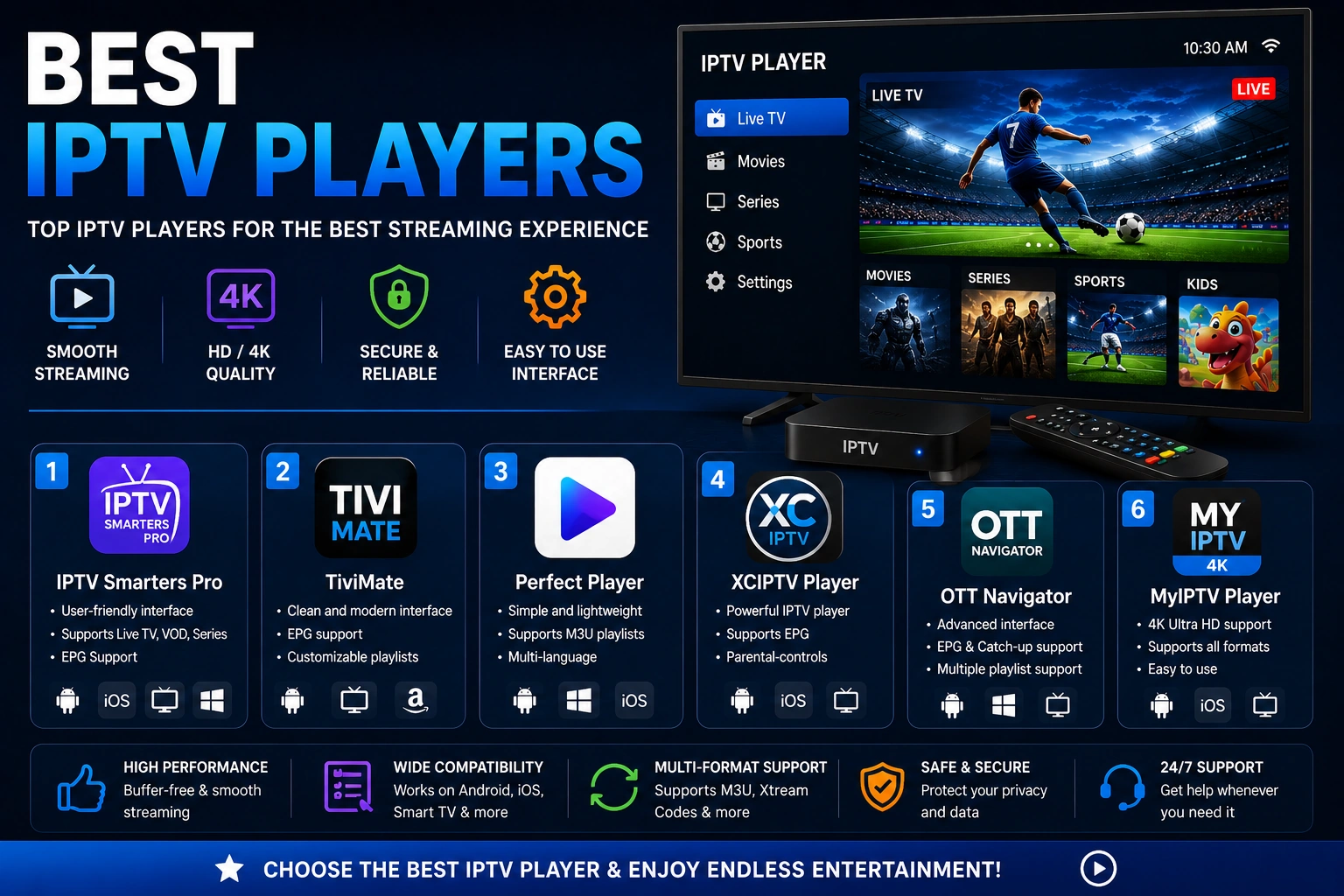
Best IPTV Players
Players with 4K and HDR support
Fix IPTV Buffering
Troubleshoot 4K buffering issues