
OTT Navigator Review (2026) - OTTPLAY Guide
OTT Navigator (also known as OTTPLAY) is a powerful IPTV player for Android devices that offers extensive customization, advanced features, and excellent performance. This comprehensive review covers everything about OTT Navigator including features, pricing, setup process, and how it compares to other popular IPTV players.
star Quick Verdict
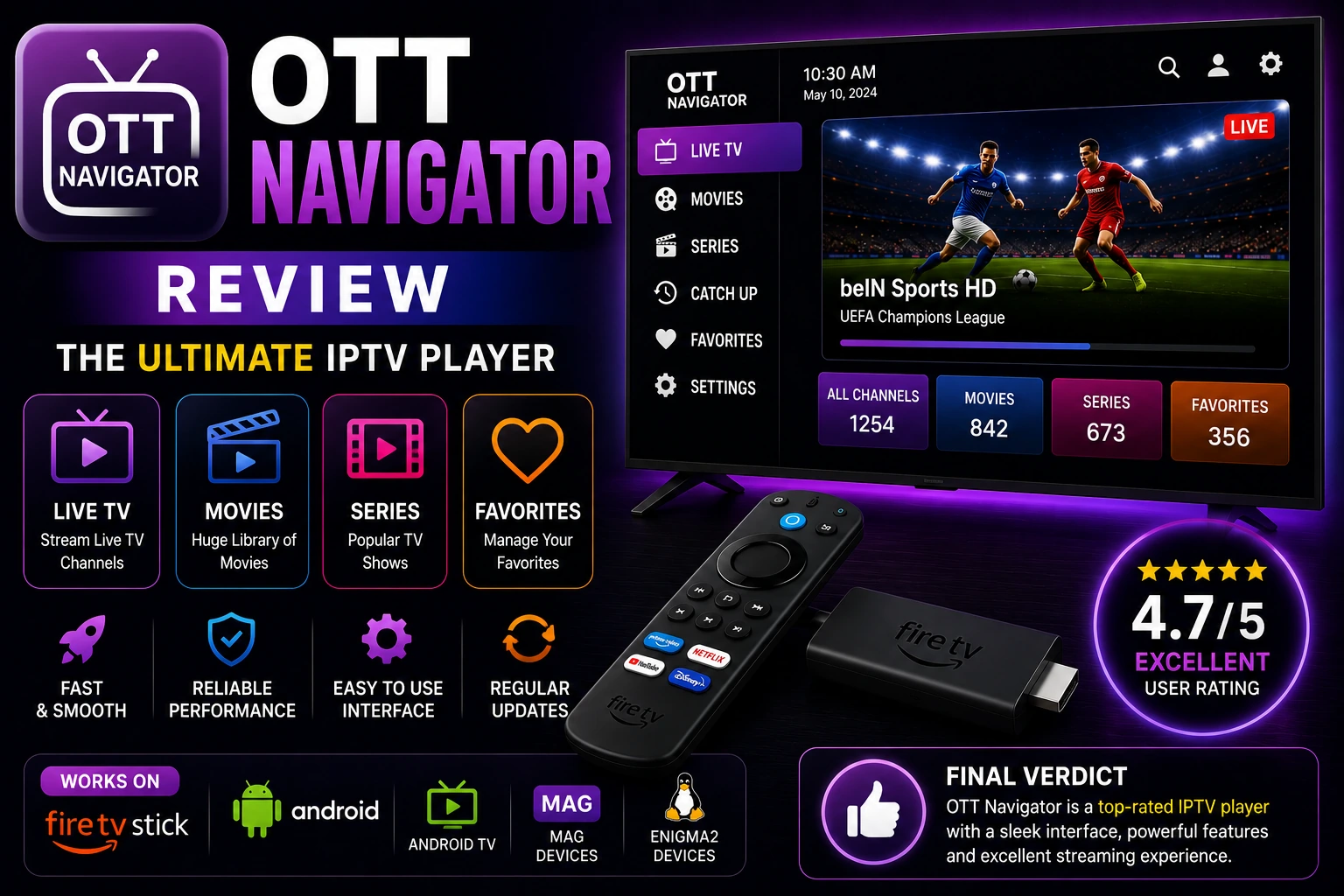
OTT Navigator is an excellent IPTV player for power users who want maximum control and customization. With features like recording, multi-screen viewing, and extensive settings, it's one of the most feature-rich IPTV apps available. The interface has a learning curve, but the capabilities make it worth mastering.
OTT Navigator Key Features
Extensive Customization
Customize every aspect of interface, EPG, player settings, and appearance
Recording (Premium)
Record live streams, schedule recordings, and manage recorded content
Multi-Screen Viewing
Watch up to 4 channels simultaneously in split-screen mode
Xtream Codes API
Full Xtream Codes support with easy login and automatic updates
Advanced EPG
Powerful EPG with multiple layouts, archive support, and catch-up TV
Multiple Playlists
Support for unlimited playlists with easy switching between them
VOD & Series
Organized movie and TV series library with resume playback
Smart Favorites
Create custom channel groups and favorites with advanced filtering
Parental Controls
PIN protection for channels, categories, and app access
Chromecast Support
Cast streams to Chromecast devices for big screen viewing
Subtitle Support
Load external subtitles with customizable appearance and timing
Advanced Settings
Deep customization options for player, network, and interface
Pros & Cons
thumb_up Pros
- check_circle Most customizable IPTV player available
- check_circle Multi-screen viewing (up to 4 channels)
- check_circle Recording with scheduling (premium)
- check_circle Excellent Xtream Codes support
- check_circle Advanced EPG with catch-up TV
- check_circle Works on phones, tablets, and TV boxes
- check_circle Regular updates and improvements
- check_circle Affordable lifetime premium option
thumb_down Cons
- cancel Steep learning curve for beginners
- cancel Interface not as polished as TiviMate
- cancel Free version has ads
- cancel Too many settings can be overwhelming
- cancel Android only - no iOS or desktop
- cancel Premium features require payment
- cancel Occasional bugs with updates
How to Setup OTT Navigator
1 Download & Install
- check_circle Open Google Play Store or Amazon Appstore
- check_circle Search for "OTT Navigator" or "OTTPLAY"
- check_circle Click Install and wait for download
- check_circle Open app after installation completes
2 Add Playlist (Xtream Codes)
- check_circle Tap "+" button or "Add Playlist"
- check_circle Select "Xtream Codes API"
- check_circle Enter Server URL (without http://)
- check_circle Enter Username from provider
- check_circle Enter Password from provider
- check_circle Tap "Add" to connect and load channels
3 Add Playlist (M3U URL)
- check_circle Tap "+" button or "Add Playlist"
- check_circle Select "M3U URL" or "Remote Playlist"
- check_circle Paste M3U URL from your provider
- check_circle Give playlist a name
- check_circle Tap "Add" and wait for channels to load
4 Configure EPG
- check_circle EPG usually loads automatically with Xtream Codes
- check_circle For M3U: Settings → EPG → Add EPG URL
- check_circle Enable "Auto Update EPG"
- check_circle Tap "Update EPG Now" to load guide
5 Customize Interface
- check_circle Settings → Appearance → Choose theme and layout
- check_circle Settings → EPG → Configure EPG display
- check_circle Settings → Player → Adjust playback settings
- check_circle Create custom channel groups and favorites
OTT Navigator Premium (OTTPLAY)
Premium Features:
- • Remove all ads
- • Recording with scheduling
- • Multi-screen viewing (4 channels)
- • Advanced EPG features
- • Catch-up TV support
- • Priority support
- • Lifetime updates
How to Activate:
- 1. Purchase activation code from official site
- 2. Open OTT Navigator app
- 3. Go to Settings → Premium
- 4. Enter activation code
- 5. Tap "Activate" to unlock features
- 6. Restart app to apply changes
Multi-Screen Viewing
One of OTT Navigator's standout features is multi-screen viewing, allowing you to watch up to 4 channels simultaneously.
grid_view How to Use Multi-Screen
- 1. Start playing a channel
- 2. Tap the multi-screen icon (grid)
- 3. Select layout: 2, 3, or 4 screens
- 4. Choose additional channels for each screen
- 5. Tap any screen to make it primary with audio
- 6. Swipe to change channels in any screen
Best Use Cases:
- • Watch multiple sports games
- • Monitor news from different channels
- • Compare live events
- • Keep eye on multiple shows
Requirements:
- • Premium (OTTPLAY) activation
- • Fast internet (25+ Mbps)
- • Powerful device recommended
- • Large screen for best experience
OTT Navigator vs Other Players
| Feature | OTT Navigator | TiviMate | IPTV Smarters |
|---|---|---|---|
| Price | $5-10 lifetime | $5/year | Free |
| Multi-Screen | ✓ 4 screens | ✗ No | ✗ No |
| Recording | ✓ Yes | ✓ Yes | ✗ No |
| Customization | Extensive | Moderate | Limited |
| Interface | Good | Excellent | Very Good |
| Learning Curve | Steep | Easy | Easy |
| Xtream Codes | ✓ Yes | ✓ Yes | ✓ Yes |
| Best For | Power users | Simplicity | Beginners |
OTT Navigator Tips & Tricks
lightbulb Optimize Performance
- • Enable hardware acceleration in settings
- • Reduce EPG days to 3-5 for faster loading
- • Clear cache regularly
- • Disable unused features
- • Use wired connection for multi-screen
tune Customize Interface
- • Try different EPG layouts (grid, list, timeline)
- • Customize channel logos and names
- • Create smart playlists with filters
- • Adjust font sizes for readability
- • Set custom color themes
troubleshoot Fix Common Issues
- • Playlist not loading: Check URL and credentials
- • EPG not showing: Update EPG manually
- • Buffering: Lower stream quality or use VPN
- • App crashes: Clear cache and reinstall
- • Recording fails: Check storage permissions
star Advanced Features
- • Use archive/catch-up for missed shows
- • Schedule recordings for favorite programs
- • Create channel groups by genre
- • Use search to find channels quickly
- • Enable notifications for recordings
Performance & Quality
speed Playback Performance
Excellent playback with minimal buffering. Hardware acceleration ensures smooth 4K streaming. Multi-screen requires powerful device.
memory Resource Usage
Moderate to high RAM usage, especially with multi-screen. Works well on mid-range devices for single screen viewing.
bug_report Stability
Generally stable with occasional bugs after updates. Regular updates improve stability. Complex features may cause issues.
high_quality Video Quality
Supports up to 4K streaming with excellent quality. Hardware decoding ensures best picture. Quality depends on source.
Frequently Asked Questions
Is OTT Navigator free?
OTT Navigator has a free version with basic features and ads. The premium version (OTTPLAY) costs around $5-10 for lifetime activation, removing ads and unlocking advanced features like recording and multi-screen.
What devices support OTT Navigator?
OTT Navigator works on Android phones, tablets, Android TV, Fire TV/Firestick, and Android TV boxes. It's optimized for both touch screens and TV remote controls. Not available for iOS, Windows, or Mac.
Does OTT Navigator support Xtream Codes?
Yes, OTT Navigator has excellent Xtream Codes API support. You can login with server URL, username, and password. It also supports M3U playlists via URL or local file.
Can OTT Navigator record live TV?
Yes, OTT Navigator premium (OTTPLAY) includes recording functionality. You can record live streams to device storage and schedule recordings. Free version doesn't include recording.
How do I activate OTT Navigator premium?
Activate OTTPLAY premium by purchasing activation code from official website or Google Play Store. Enter activation code in app settings to unlock premium features including ad removal and recording.
Is OTT Navigator better than TiviMate?
OTT Navigator offers more features and customization than TiviMate, but TiviMate has a more polished interface. OTT Navigator is better for power users who want control, while TiviMate is better for simplicity and design.
Final Verdict
OTT Navigator is the ultimate IPTV player for power users who want maximum control and features. The multi-screen viewing capability alone sets it apart from competitors, and the extensive customization options mean you can tailor every aspect to your preferences.
While the learning curve is steeper than TiviMate or IPTV Smarters, the payoff is worth it for users who want advanced features. The lifetime premium pricing is excellent value, especially considering the recording and multi-screen capabilities.
If you're a beginner, start with IPTV Smarters or TiviMate. But if you're ready to unlock the full potential of IPTV streaming, OTT Navigator is the best choice.
Related IPTV Players
Need an IPTV Subscription?
OTT Navigator is just a player - you need an IPTV subscription to watch channels. Discover the best IPTV services with reliable streams and excellent support.
View Best IPTV Services 2026 arrow_forward