
Best VPN for IPTV - Complete Guide (2026)
Using IPTV without a VPN? You're missing out on better speeds, privacy protection, and access to geo-restricted content. This guide explains why VPNs are essential for IPTV, how to choose the right one, and how to set it up on any device. Let's get you streaming securely.
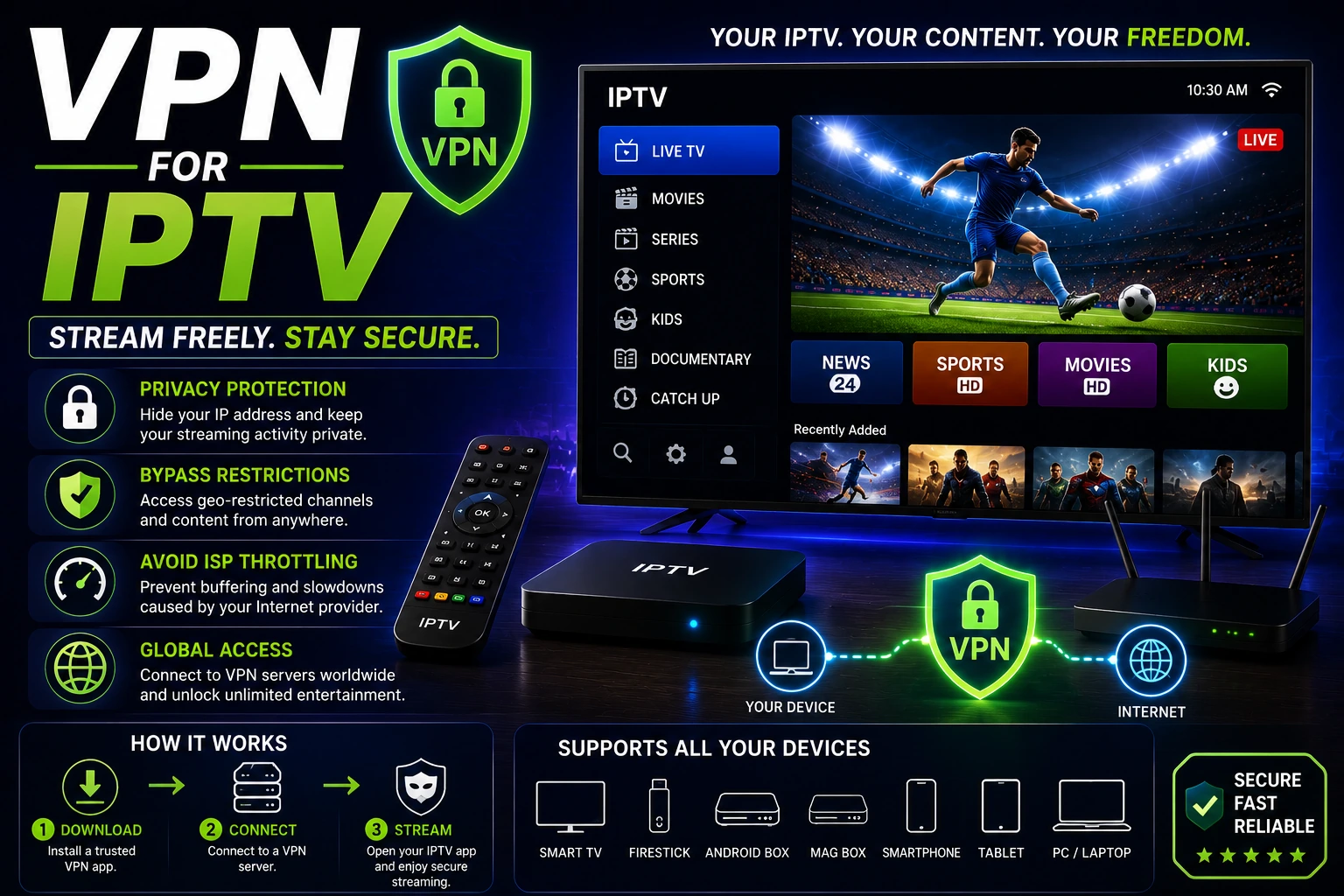
Why You Need a VPN for IPTV
A VPN (Virtual Private Network) creates an encrypted tunnel between your device and the internet. For IPTV users, this solves several critical problems that affect streaming quality and privacy.
Stop ISP Throttling
ISPs often slow down streaming traffic during peak hours. A VPN encrypts your connection, preventing ISPs from detecting and throttling IPTV streams. This can actually improve your streaming speed.
Privacy Protection
VPNs hide your IP address and encrypt your internet activity. Your ISP, government, or third parties can't see what you're streaming or track your online behavior.
Bypass Geo-Restrictions
Access IPTV content from anywhere in the world. VPNs let you connect to servers in different countries, unlocking region-locked channels and content.
Reduce Buffering
If your ISP throttles streaming, a VPN can eliminate buffering entirely. Many users report smoother playback after connecting to a VPN.
Secure Public WiFi
Streaming IPTV on public WiFi without a VPN exposes your data to hackers. VPNs encrypt your connection, making public networks safe.
Avoid ISP Monitoring
Some ISPs monitor streaming habits and send warnings. A VPN prevents ISPs from seeing your IPTV activity completely.
How to Choose the Best VPN for IPTV
Not all VPNs are suitable for IPTV streaming. Here's what to look for:
speed Fast Connection Speeds
IPTV requires consistent high speeds. Look for VPNs with:
- • Minimal speed loss (less than 10%)
- • Unlimited bandwidth (no data caps)
- • Servers optimized for streaming
- • Support for WireGuard or proprietary fast protocols
dns Large Server Network
More servers mean better performance and more location options:
- • 1,000+ servers minimum
- • Servers in 50+ countries
- • Multiple servers per location to avoid congestion
- • Servers near your physical location for best speeds
policy No-Logs Policy
Privacy is crucial. Choose VPNs that:
- • Don't log your browsing activity or connection history
- • Have been independently audited
- • Are based in privacy-friendly countries
- • Have a proven track record of protecting user privacy
devices Device Compatibility
Your VPN must work on all your streaming devices:
- • Native apps for Firestick, Android TV, Apple TV
- • Support for routers (protects all devices at once)
- • Multiple simultaneous connections (5+ devices)
- • Easy-to-use mobile and desktop apps
support 24/7 Customer Support
IPTV streaming happens at all hours. You need:
- • Live chat support available 24/7
- • Knowledgeable staff who understand streaming
- • Setup guides for IPTV apps and devices
- • Quick response times (under 5 minutes)
payments Money-Back Guarantee
Test the VPN risk-free:
- • 30-day money-back guarantee minimum
- • No-questions-asked refund policy
- • Easy cancellation process
- • Free trial period (some providers)
Best VPNs for IPTV (2026)
Based on speed tests, privacy audits, and real-world IPTV streaming performance, these are the top VPN choices:
1. ExpressVPN
Best OverallExpressVPN is the gold standard for IPTV streaming. Blazing-fast speeds, rock-solid reliability, and works flawlessly on all devices.
Pros:
- • Fastest VPN for streaming (5-10% speed loss)
- • 3,000+ servers in 105 countries
- • Native Firestick and Android TV apps
- • 24/7 live chat support
- • Strict no-logs policy (audited)
- • 8 simultaneous connections
Cons:
- • More expensive than competitors
- • No free trial (30-day money-back guarantee)
Best for: Users who want the absolute best performance and don't mind paying premium prices. Perfect for 4K IPTV streaming.
2. NordVPN
Best ValueNordVPN offers excellent performance at a more affordable price. Great speeds, strong security, and feature-rich apps.
Pros:
- • 6,000+ servers in 111 countries
- • Excellent speeds with NordLynx protocol
- • Affordable long-term plans
- • Double VPN for extra security
- • Works on all streaming devices
- • 10 simultaneous connections
Cons:
- • Slightly slower than ExpressVPN
- • Interface can be complex for beginners
Best for: Budget-conscious users who want premium features without the premium price. Great for HD IPTV streaming.
3. Surfshark
Best BudgetSurfshark delivers impressive performance at the lowest price. Unlimited device connections make it perfect for families.
Pros:
- • Unlimited simultaneous connections
- • Very affordable pricing
- • 3,200+ servers in 100 countries
- • Good speeds for the price
- • Easy-to-use apps on all platforms
- • CleanWeb ad blocker included
Cons:
- • Speeds can vary by server
- • Smaller server network than competitors
Best for: Families or users with many devices. Excellent value for money with unlimited connections.
How to Set Up VPN for IPTV (All Devices)
tv Firestick / Fire TV Setup
Most VPNs have native Firestick apps. Here's how to install:
- Download VPN App:
- • Go to Firestick home screen
- • Search for your VPN (ExpressVPN, NordVPN, etc.)
- • Download and install from Amazon Appstore
- Log In:
- • Open the VPN app
- • Enter your VPN account credentials
- • Some VPNs offer QR code login for easier setup
- Connect to Server:
- • Choose a server location (pick one near you for best speeds)
- • Tap "Connect"
- • Wait for connection confirmation
- Launch IPTV App:
- • Keep VPN running in background
- • Open your IPTV app (Smarters, TiviMate, etc.)
- • Start streaming with VPN protection
Pro Tip: Enable "Connect on Startup" in VPN settings so it automatically connects when you turn on your Firestick.
tv Android TV / Google TV Setup
Android TV setup is similar to Firestick:
- Open Google Play Store on your Android TV
- Search for your VPN app
- Install and open the app
- Log in with your VPN credentials
- Connect to a server
- Launch your IPTV app and start streaming
router Router Setup (Protects All Devices)
Installing VPN on your router protects all connected devices automatically:
- Check Router Compatibility:
- • Your router must support VPN clients (check manual)
- • Popular compatible routers: Asus, Netgear, Linksys
- • Or buy a pre-configured VPN router
- Get VPN Configuration Files:
- • Log into your VPN account website
- • Download OpenVPN configuration files
- • Note your VPN username and password
- Configure Router:
- • Access router admin panel (usually 192.168.1.1)
- • Find VPN client section
- • Upload configuration file
- • Enter VPN credentials
- • Save and connect
- Test Connection:
- • Check your IP address online
- • Verify it shows VPN server location
- • All devices now use VPN automatically
Advantage: Router VPN protects devices that don't support VPN apps (smart TVs, older streaming boxes).
smartphone Mobile (Android / iOS) Setup
For IPTV on phones and tablets:
- Download VPN app from Google Play Store or Apple App Store
- Install and open the app
- Log in with your VPN account
- Tap "Connect" or choose a server location
- Open your IPTV app and stream
computer Windows / Mac Setup
For desktop IPTV streaming:
- Download VPN app from provider's website
- Install the application
- Launch and log in
- Connect to a server
- Open your IPTV player (VLC, Kodi, etc.) and stream
Best VPN Settings for IPTV
Optimize your VPN for the best IPTV streaming experience:
| Setting | Recommended | Why |
|---|---|---|
| Protocol | WireGuard or IKEv2 | Fastest protocols for streaming |
| Server Location | Nearest to you | Reduces latency and improves speed |
| Kill Switch | Enabled | Prevents IP leaks if VPN disconnects |
| Auto-Connect | Enabled | Ensures you're always protected |
| Split Tunneling | Optional | Route only IPTV through VPN |
| DNS | VPN's DNS | Prevents DNS leaks |
settings Protocol Selection
Choose the right protocol for your needs:
- • WireGuard: Fastest, best for IPTV (if available)
- • IKEv2: Fast and stable, great for mobile
- • OpenVPN: Most secure, slightly slower
- • Avoid PPTP and L2TP (outdated and slow)
public Server Selection Tips
Choosing the right server matters:
- • Start with servers closest to your location
- • If buffering occurs, try a different server in the same country
- • Use "streaming optimized" servers if your VPN offers them
- • Avoid servers with high load (over 70%)
Common VPN + IPTV Issues and Fixes
error VPN Slowing Down IPTV
Problem: IPTV buffers more with VPN than without.
Solutions:
- • Switch to a faster protocol (WireGuard or IKEv2)
- • Connect to a server closer to your location
- • Try a different server in the same country
- • Upgrade to a faster VPN provider
- • Check if your internet speed is sufficient (run speed test)
error IPTV Not Working with VPN Connected
Problem: IPTV app won't load or connect when VPN is on.
Solutions:
- • Disconnect and reconnect to VPN
- • Try a different VPN server
- • Disable IPv6 in VPN settings
- • Clear IPTV app cache and restart
- • Check if your IPTV provider blocks VPN IPs (rare)
error VPN Keeps Disconnecting
Problem: VPN connection drops during streaming.
Solutions:
- • Enable Kill Switch to prevent IP leaks
- • Switch to a more stable protocol (IKEv2 for mobile)
- • Update VPN app to latest version
- • Check your internet connection stability
- • Contact VPN support for server recommendations
error Can't Install VPN on Device
Problem: Your streaming device doesn't support VPN apps.
Solutions:
- • Install VPN on your router (protects all devices)
- • Use a VPN-enabled router as a WiFi hotspot
- • Share VPN connection from your computer
- • Consider upgrading to a VPN-compatible device
Free VPN vs Paid VPN for IPTV
Should you use a free VPN for IPTV? Here's the honest truth:
close Free VPNs
Why They Don't Work for IPTV:
- • Extremely slow speeds (unusable for streaming)
- • Data caps (500MB-10GB per month)
- • Limited server locations
- • Overcrowded servers cause constant buffering
- • Many log and sell your data
- • Inject ads into your browsing
- • Don't work on streaming devices
- • Can't bypass ISP throttling effectively
check Paid VPNs
Why They're Worth It:
- • Fast speeds (minimal impact on streaming)
- • Unlimited bandwidth
- • Thousands of servers worldwide
- • Reliable connections with no buffering
- • Strict no-logs policies
- • Native apps for all devices
- • 24/7 customer support
- • Money-back guarantees (risk-free testing)
Bottom Line: Free VPNs are not suitable for IPTV streaming. The buffering, data caps, and privacy concerns make them unusable. Premium VPNs cost $3-10/month and provide smooth, secure streaming. The investment is worth it for reliable IPTV access.
Pro Tips for Using VPN with IPTV
lightbulb Always Connect VPN Before IPTV
Start your VPN first, then launch your IPTV app. This ensures all traffic is encrypted from the beginning. Enable auto-connect in VPN settings so you never forget.
lightbulb Test Multiple Servers
If one server is slow, try another in the same country. Server performance varies based on load and routing. Save your fastest servers as favorites for quick access.
lightbulb Use Split Tunneling
If your VPN supports split tunneling, route only your IPTV app through the VPN. This can improve speeds while keeping other apps on your regular connection.
lightbulb Monitor Your Connection
Periodically check your IP address to ensure the VPN is working. Visit an IP checker website to verify your location shows the VPN server, not your real location.
lightbulb Keep VPN Updated
VPN providers regularly update their apps with performance improvements and security patches. Enable automatic updates or check for updates monthly.
lightbulb Consider Router Installation
Installing VPN on your router protects all devices automatically and works with devices that don't support VPN apps. It's the ultimate set-it-and-forget-it solution.
Frequently Asked Questions
Do I need a VPN for IPTV?
While not mandatory, a VPN is highly recommended for IPTV. It prevents ISP throttling (which causes buffering), protects your privacy by hiding your streaming activity, bypasses geo-restrictions to access more content, and secures your connection on public WiFi. Most IPTV users report better streaming quality with a VPN because it eliminates ISP throttling.
Can a VPN stop IPTV buffering?
Yes, a VPN can stop buffering caused by ISP throttling. Many internet providers intentionally slow down streaming traffic during peak hours or when they detect IPTV usage. A VPN encrypts your connection, preventing ISPs from seeing what you're streaming and stopping them from throttling your speed. However, choose a fast VPN - slow VPNs can actually cause buffering. See our IPTV buffering fix guide for more solutions.
What is the best VPN for IPTV?
The best VPNs for IPTV are ExpressVPN (fastest overall), NordVPN (best value), and Surfshark (best budget option). All three offer fast speeds, unlimited bandwidth, native apps for streaming devices like Firestick and Android TV, and strict no-logs policies. ExpressVPN is the fastest but most expensive, while Surfshark offers unlimited device connections at the lowest price.
Will a VPN slow down my IPTV?
A quality VPN causes minimal speed loss, typically 5-10%. Premium VPNs like ExpressVPN and NordVPN are optimized for streaming and won't noticeably affect IPTV performance. In fact, if your ISP throttles streaming, a VPN can actually improve speeds. Free VPNs, however, often cause significant slowdowns and aren't suitable for IPTV. Always choose a paid VPN with fast servers and modern protocols like WireGuard.
Is using a VPN with IPTV legal?
Using a VPN is legal in most countries. VPNs are legitimate privacy tools used by millions of people for security, privacy, and accessing content. However, the legality depends on what you do with the VPN. Using a VPN to protect your privacy while streaming legal IPTV content is perfectly legal. Accessing copyrighted content without permission is illegal regardless of whether you use a VPN. Always use legitimate IPTV services.
Can my ISP see I'm using IPTV with a VPN?
No, a VPN encrypts all your internet traffic, preventing your ISP from seeing what you're streaming. When you use a VPN, your ISP can only see that you're connected to a VPN server - they cannot see your IPTV activity, which websites you visit, or what content you're accessing. This is why VPNs are effective at preventing ISP throttling and protecting your privacy.
Conclusion
A VPN is one of the best investments you can make for IPTV streaming. It solves multiple problems at once: stops ISP throttling, protects your privacy, bypasses geo-restrictions, and can actually improve your streaming quality. The cost is minimal - $3-10 per month - and the benefits are substantial.
Don't waste time with free VPNs. They're too slow for streaming, have data caps, and often compromise your privacy. Stick with proven providers like ExpressVPN, NordVPN, or Surfshark. All three offer money-back guarantees, so you can test them risk-free with your IPTV setup.
Setup is straightforward on all devices, from Firestick to Android TV to routers. Once configured, your VPN runs in the background, protecting all your streaming automatically. Combined with a reliable IPTV provider and proper player settings, a VPN completes your perfect IPTV streaming setup.
Quick VPN Checklist
- check_circle Choose a fast VPN (ExpressVPN, NordVPN, or Surfshark)
- check_circle Install on your streaming device or router
- check_circle Connect to a server near your location
- check_circle Use WireGuard or IKEv2 protocol for best speeds
- check_circle Enable Kill Switch and auto-connect
- check_circle Test connection before streaming
- check_circle Keep VPN running while streaming IPTV
- check_circle Update VPN app regularly
link Related Articles
IPTV Buffering Fix
Complete guide to stop buffering with VPN and other solutions
Best IPTV Services
Top-rated IPTV providers that work great with VPNs
IPTV Firestick Not Working
Fix IPTV issues on Firestick with VPN setup guide
IPTV Smarters Pro Guide
Complete setup guide including VPN configuration