
Best IPTV Apps for Firestick (2026)
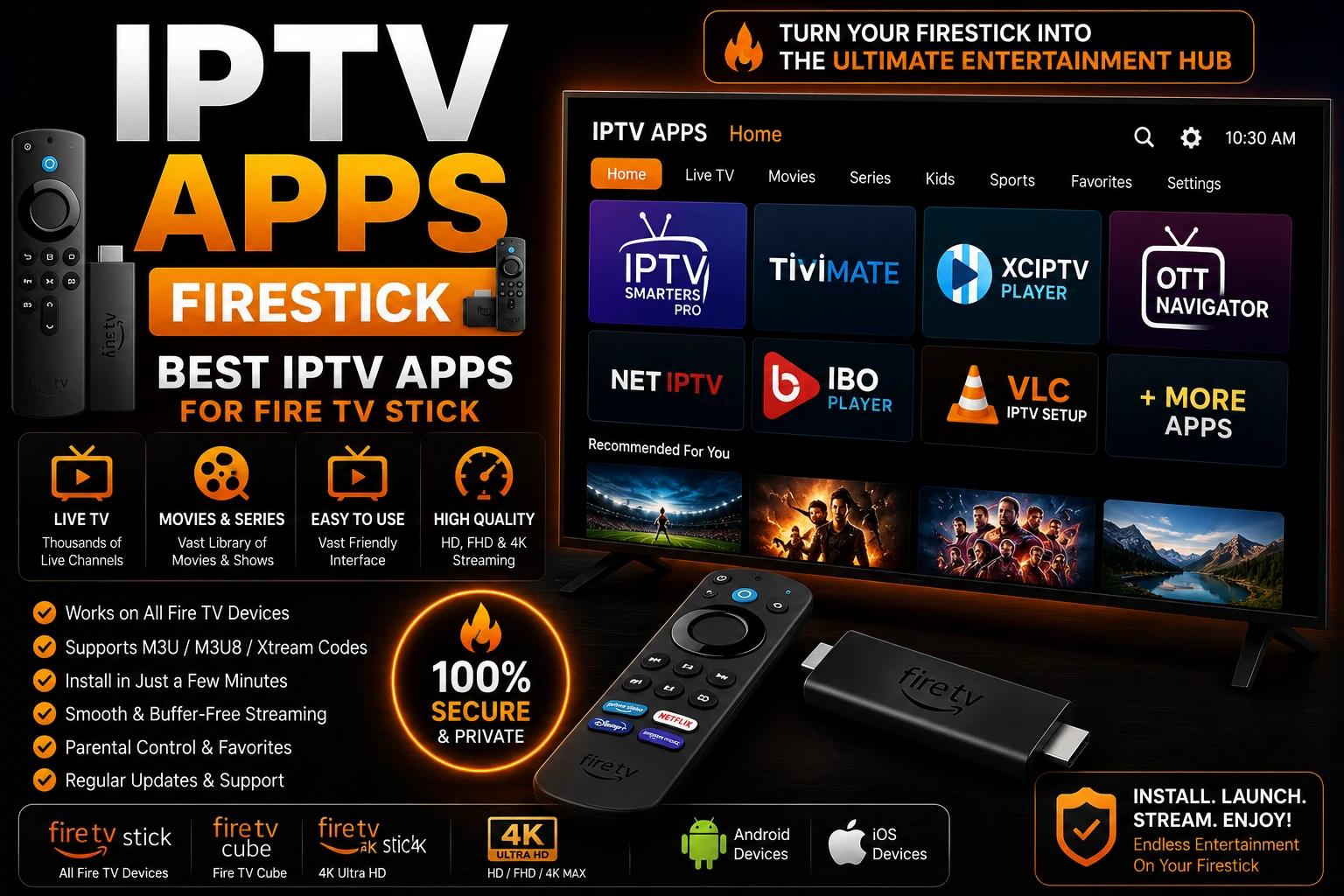
Amazon Fire TV Stick is one of the most popular devices for IPTV streaming. This comprehensive guide covers the best IPTV apps for Firestick, including detailed reviews, installation instructions, setup guides, and troubleshooting tips to help you get the most out of your IPTV experience.
star Quick Picks
Top IPTV Apps for Firestick
1. TiviMate
TiviMate is the gold standard for IPTV apps on Firestick. Its sleek interface, powerful EPG management, and advanced features like recording and catch-up make it the top choice for serious IPTV users.
Key Features:
- • Beautiful, intuitive interface
- • Advanced EPG with multiple layouts
- • Recording & catch-up TV (Premium)
- • Multiple playlist support
- • Xtream Codes API support
Best For:
- • Users who want premium features
- • Those who value interface design
- • Recording live TV
- • Managing multiple playlists
2. IPTV Smarters Pro
IPTV Smarters Pro is the most user-friendly IPTV app for Firestick. Its simple setup process and clean interface make it perfect for beginners, while still offering advanced features for power users.
Key Features:
- • Easy Xtream Codes login
- • Clean, simple interface
- • VOD & series support
- • EPG with program info
- • Parental controls
Best For:
- • IPTV beginners
- • Simple, straightforward setup
- • Xtream Codes users
- • Watching VOD & series
3. IPTV Extreme
IPTV Extreme is the best free IPTV app for Firestick with built-in recording. It offers extensive customization and advanced features without requiring payment, though the interface isn't as polished as TiviMate.
Key Features:
- • Completely free with all features
- • Built-in recording
- • Extensive customization
- • EPG support
- • Xtream Codes & M3U
Best For:
- • Budget-conscious users
- • Free recording feature
- • Advanced customization
- • Power users
4. Perfect Player
Perfect Player is a lightweight, highly customizable IPTV app that works great on Firestick. It's perfect for users who want control over every aspect of their IPTV experience.
Key Features:
- • Lightweight and fast
- • Highly customizable
- • Multiple playlist support
- • EPG with XMLTV
- • Low resource usage
Best For:
- • Older Firestick models
- • Customization enthusiasts
- • Lightweight performance
- • Technical users
5. VLC Media Player
VLC is the universal media player that works on Firestick. While not designed specifically for IPTV, it's excellent for testing playlists and playing individual streams.
Key Features:
- • Plays almost any format
- • M3U playlist support
- • Network streaming
- • Subtitle support
- • Open source & free
Best For:
- • Testing M3U playlists
- • Playing local media
- • Troubleshooting streams
- • Backup player
How to Install IPTV Apps on Firestick
store Method 1: Install from Amazon Appstore
The easiest method for apps available in the Amazon Appstore (TiviMate, IPTV Smarters, VLC).
- 1. From Firestick home screen, select the search icon (magnifying glass)
- 2. Type the app name (e.g., "TiviMate" or "IPTV Smarters")
- 3. Select the app from search results
- 4. Click "Get" or "Download" button
- 5. Wait for installation to complete
- 6. Click "Open" to launch the app
download Method 2: Sideload Apps (For Apps Not in Store)
For apps not available in Amazon Appstore, use the Downloader app to sideload.
Step 1: Enable Apps from Unknown Sources
- • Go to Settings → My Fire TV → Developer Options
- • Turn on "Apps from Unknown Sources"
- • Click "Turn On" to confirm
Step 2: Install Downloader App
- • Search for "Downloader" in Amazon Appstore
- • Install Downloader by AFTVnews.com
- • Open Downloader app
Step 3: Download APK File
- • In Downloader, enter APK download URL
- • Click "Go" to download the file
- • Wait for download to complete
Step 4: Install APK
- • Click "Install" when prompted
- • Wait for installation to finish
- • Click "Done" (not "Open" yet)
- • Delete APK file to save space
Note: Only download APK files from trusted sources. Avoid unofficial or modified apps that may contain malware.
How to Setup IPTV on Firestick
After installing your IPTV app, follow these steps to add your IPTV subscription:
1 Get IPTV Credentials
Obtain M3U URL or Xtream Codes credentials (server URL, username, password) from your IPTV provider.
2 Open IPTV App
Launch your installed IPTV app (TiviMate, IPTV Smarters, etc.) on Firestick.
3 Add Playlist/Login
For M3U URL:
- • Select "Add Playlist" or "Add URL"
- • Paste your M3U URL
- • Give playlist a name
For Xtream Codes:
- • Select "Xtream Codes API" or "Login"
- • Enter server URL, username, password
- • Click "Add" or "Login"
4 Wait for Channels to Load
App will download playlist and EPG data. This may take 1-5 minutes depending on playlist size.
5 Start Watching
Browse channels, select one to watch, and enjoy your IPTV content on Firestick!
IPTV Apps Comparison
| App | Price | Recording | EPG | Xtream | Rating |
|---|---|---|---|---|---|
| TiviMate | $5/year | ✓ Yes | ✓ Yes | ✓ Yes | 9.5/10 |
| IPTV Smarters | Free | ✗ No | ✓ Yes | ✓ Yes | 9/10 |
| IPTV Extreme | Free | ✓ Yes | ✓ Yes | ✓ Yes | 8.5/10 |
| Perfect Player | Free | ✗ No | ✓ Yes | ✗ No | 8/10 |
| VLC | Free | ✗ No | ✗ No | ✗ No | 7.5/10 |
Optimize IPTV Performance on Firestick
speed Improve Streaming Speed
- • Use wired Ethernet adapter instead of WiFi
- • Close background apps to free RAM
- • Clear app cache regularly
- • Upgrade to Firestick 4K for better performance
- • Ensure 15+ Mbps internet speed
dns Fix Buffering Issues
- • Change DNS to Cloudflare (1.1.1.1)
- • Use VPN to bypass ISP throttling
- • Lower stream quality if buffering persists
- • Restart Firestick and router
- • See buffering fix guide
vpn_key Use VPN for Privacy
- • Install VPN before IPTV apps
- • Recommended: ExpressVPN, NordVPN, Surfshark
- • Connect to nearby server for best speed
- • Enable kill switch for protection
- • See VPN guide
storage Manage Storage Space
- • Delete unused apps regularly
- • Clear cache: Settings → Applications
- • Remove downloaded APK files
- • Use external storage for recordings
- • Keep 1GB+ free space for smooth operation
Troubleshooting IPTV on Firestick
App Won't Install
- • Check Firestick has sufficient storage space
- • Restart Firestick and try again
- • For sideloading: Enable "Apps from Unknown Sources"
- • Try downloading from different source
Playlist Not Loading
- • Verify M3U URL or Xtream credentials are correct
- • Check internet connection is working
- • Try different IPTV app to test playlist
- • Contact provider for updated playlist
- • See playlist error fixes
Channels Buffering or Freezing
- • Test internet speed (need 10+ Mbps for HD)
- • Use Ethernet adapter instead of WiFi
- • Change DNS to 1.1.1.1 or 8.8.8.8
- • Enable VPN to bypass ISP throttling
- • See complete buffering guide
No Sound or Black Screen
- • Check HDMI cable connection
- • Adjust audio settings in app
- • Try different audio output format
- • Restart Firestick and TV
- • See no sound fix or black screen fix
App Keeps Crashing
- • Clear app cache: Settings → Applications
- • Clear app data (will reset settings)
- • Uninstall and reinstall app
- • Update Firestick to latest software
- • Try alternative IPTV app
EPG Not Showing
- • Wait for EPG to download (can take 5-10 minutes)
- • Check EPG URL is included in playlist
- • Manually update EPG in app settings
- • Verify EPG format is compatible (XMLTV)
- • See EPG troubleshooting
Frequently Asked Questions
What is the best IPTV app for Firestick?
TiviMate is the best IPTV app for Firestick, offering excellent interface, EPG support, and recording features. IPTV Smarters Pro is best for beginners, while IPTV Extreme is best free option with recording.
How do I install IPTV apps on Firestick?
Install IPTV apps on Firestick from Amazon Appstore by searching app name and clicking Get/Download. For apps not in store, enable Apps from Unknown Sources in Settings, then sideload using Downloader app.
Are IPTV apps free on Firestick?
Most IPTV apps are free to download (IPTV Smarters, VLC, IPTV Extreme). TiviMate offers free version with premium at $5/year. Apps don't include content - you need separate IPTV subscription.
Can I use VPN with IPTV on Firestick?
Yes, install VPN app on Firestick before using IPTV. Recommended VPNs: ExpressVPN, NordVPN, Surfshark. VPN protects privacy and bypasses ISP throttling for better streaming.
Do IPTV apps work on Fire TV Stick Lite?
Yes, all IPTV apps work on Fire TV Stick Lite, 4K, 4K Max, and Fire TV Cube. Performance may vary - 4K models recommended for HD/4K streaming.
How do I add M3U playlist to Firestick IPTV app?
Open IPTV app, go to Settings/Add Playlist, enter M3U URL from provider, or use Xtream Codes login with username, password, and server URL. Playlist loads automatically.
Which Firestick Model is Best for IPTV?
Fire TV Stick 4K Max
Best ChoiceMost powerful Firestick with WiFi 6, 2GB RAM, and fast processor. Perfect for 4K IPTV streaming with no lag.
Fire TV Stick 4K
Great ValueExcellent performance for 4K IPTV at lower price. Slightly slower than 4K Max but still very capable.
Fire TV Stick (HD)
Basic model suitable for HD (1080p) IPTV streaming. May struggle with heavy apps or 4K content.
Fire TV Stick Lite
Entry-level model with limited power. Works for IPTV but may have performance issues with complex apps.
Fire TV Cube
Most powerful Fire TV device with hands-free Alexa. Overkill for IPTV but excellent performance.
Related IPTV Guides
Best IPTV Players
Compare all top IPTV players
subscriptionsBest IPTV Services
Find reliable IPTV providers
vpn_keyBest VPN for IPTV
Protect privacy and bypass throttling
sync_problemFix IPTV Buffering
Stop buffering on Firestick
buildFirestick Troubleshooting
Fix IPTV issues on Firestick
errorIPTV Not Working
Complete troubleshooting guide
Need an IPTV Subscription?
IPTV apps are just players - you need an IPTV subscription to watch channels. Discover the best IPTV services with reliable streams optimized for Firestick.
View Best IPTV Services 2026 arrow_forward